
<br clear="">
| Browser |
|
|---|---|
| Type |


The clear attribute of the BR element is used to stop text wrapping around an image.
<br clear="all">
| Attribute | Value | Explanation |
|---|---|---|
| clear=" " | left | clears the left (for the left-floating image) |
| right | clears the right (for the right-floating image) | |
| all | clears the both (for the left or right floating image) |
The use of this attribute is deprecated. (Use CSS instead)
Example
<p>
<img src="image/example.jpg" alt="Example" align="left">
Aligns to the left
<br>
The image floats to the left.
<br>
And the text wraps to the right of the image.
<br clear="left">
Clears the left
</p>
- Output
-
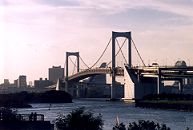 Aligns to the left
The image floats to the left.
And the text wraps to the right of the image.
Clears the left